- There are numerous plugins for comment systems, and many themes come with built-in comment system plugins. This tutorial takes the Redefine theme as an example to introduce the usage of the Waline comment system.
Official Documentation: https://waline.js.org/guide/get-started/
Waline supports multiple deployment methods, such as Vercel, CloudBase, Netlify, Railway, Zeabur and more. You may select a suitable platform for deployment. The following steps use Zeabur deployment as an example; refer to the official documentation for other deployment solutions.
1. Server-side Configuration ⚓︎
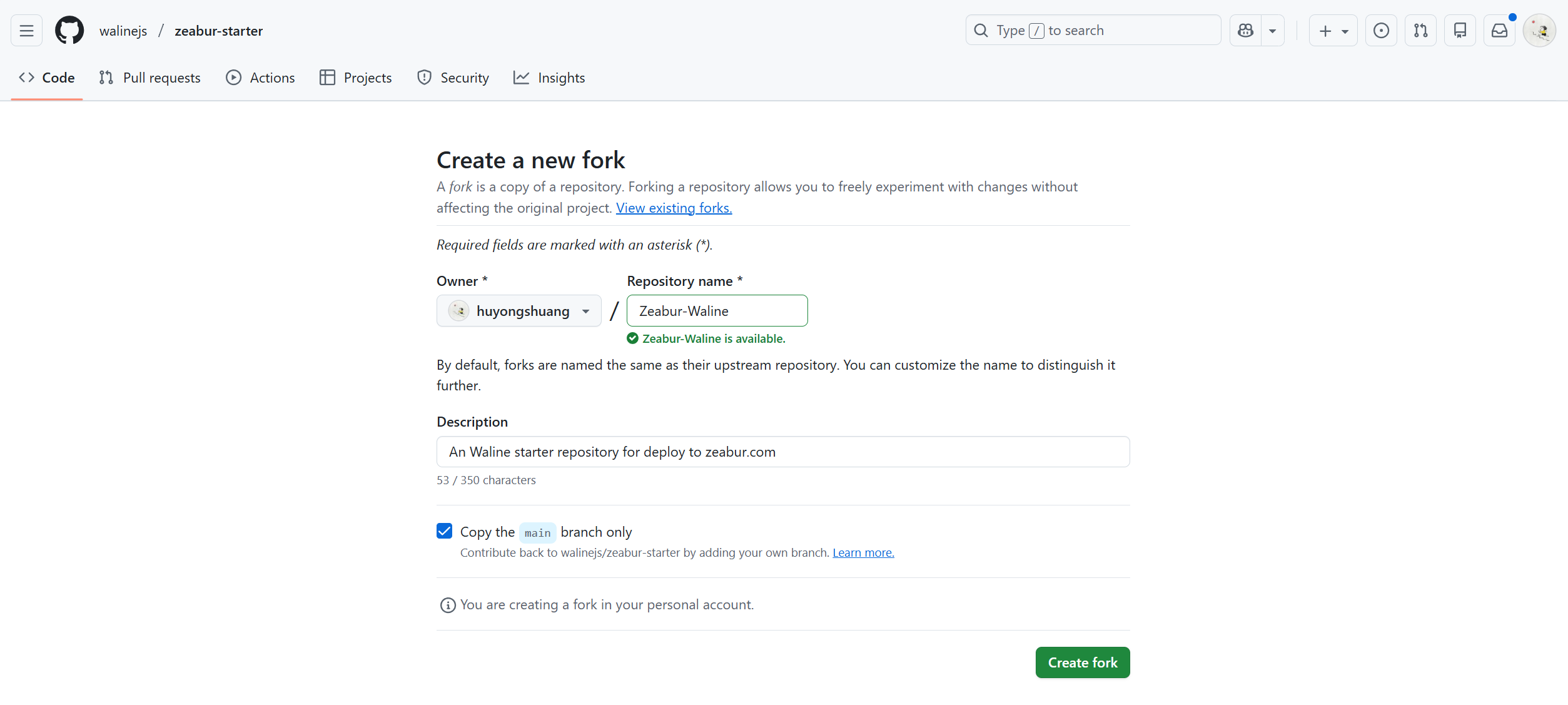
- Click the link: https://github.com/walinejs/zeabur-starter/fork to create the
Zeaburstarter scaffold. Fill in the repository name in theRepository namefield, then clickCreate forkto finish creation.
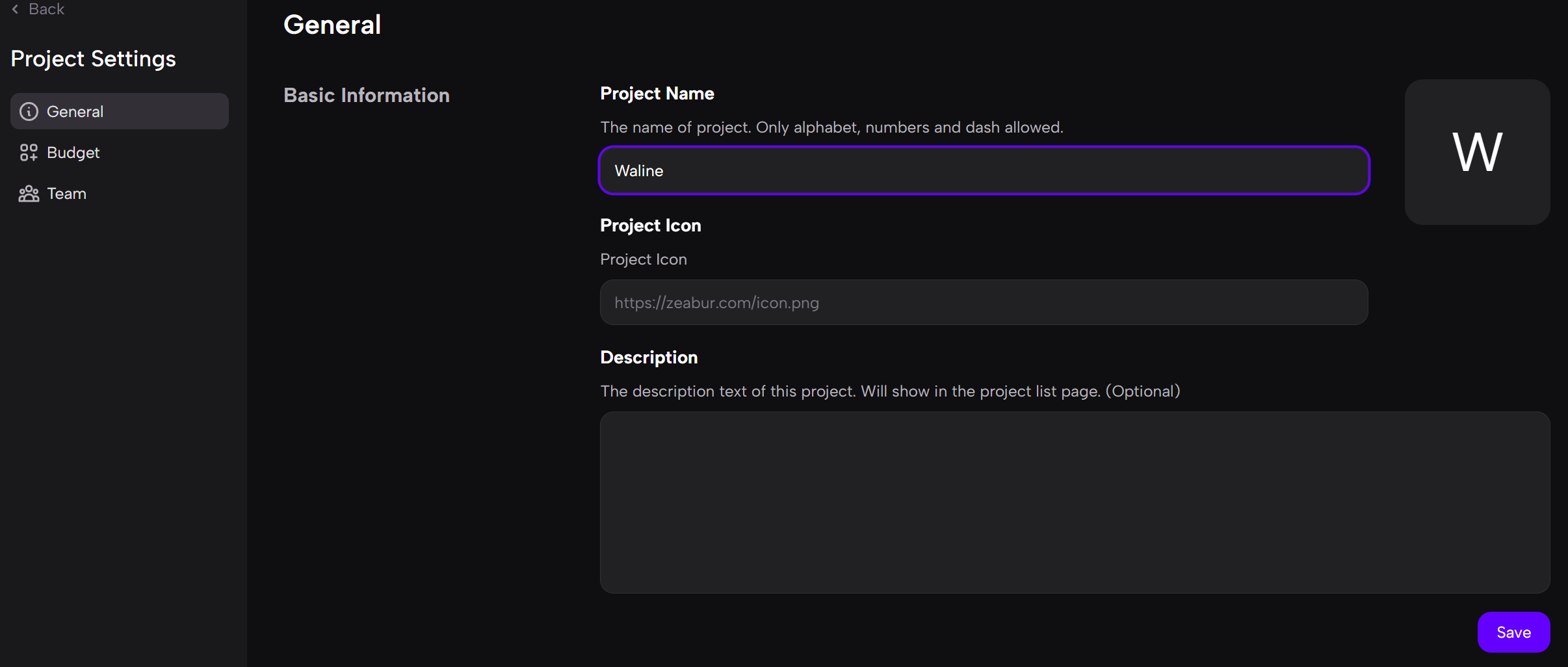
- Click the link: https://dash.zeabur.com to log into the
Zeaburdashboard. ClickLanguageat the bottom-left corner to switch to Simplified Chinese. HitCreate New Projectto create a new project, select the first regionSilicon Valley, United States, openSettings, and set a name for the new project underProject Name.
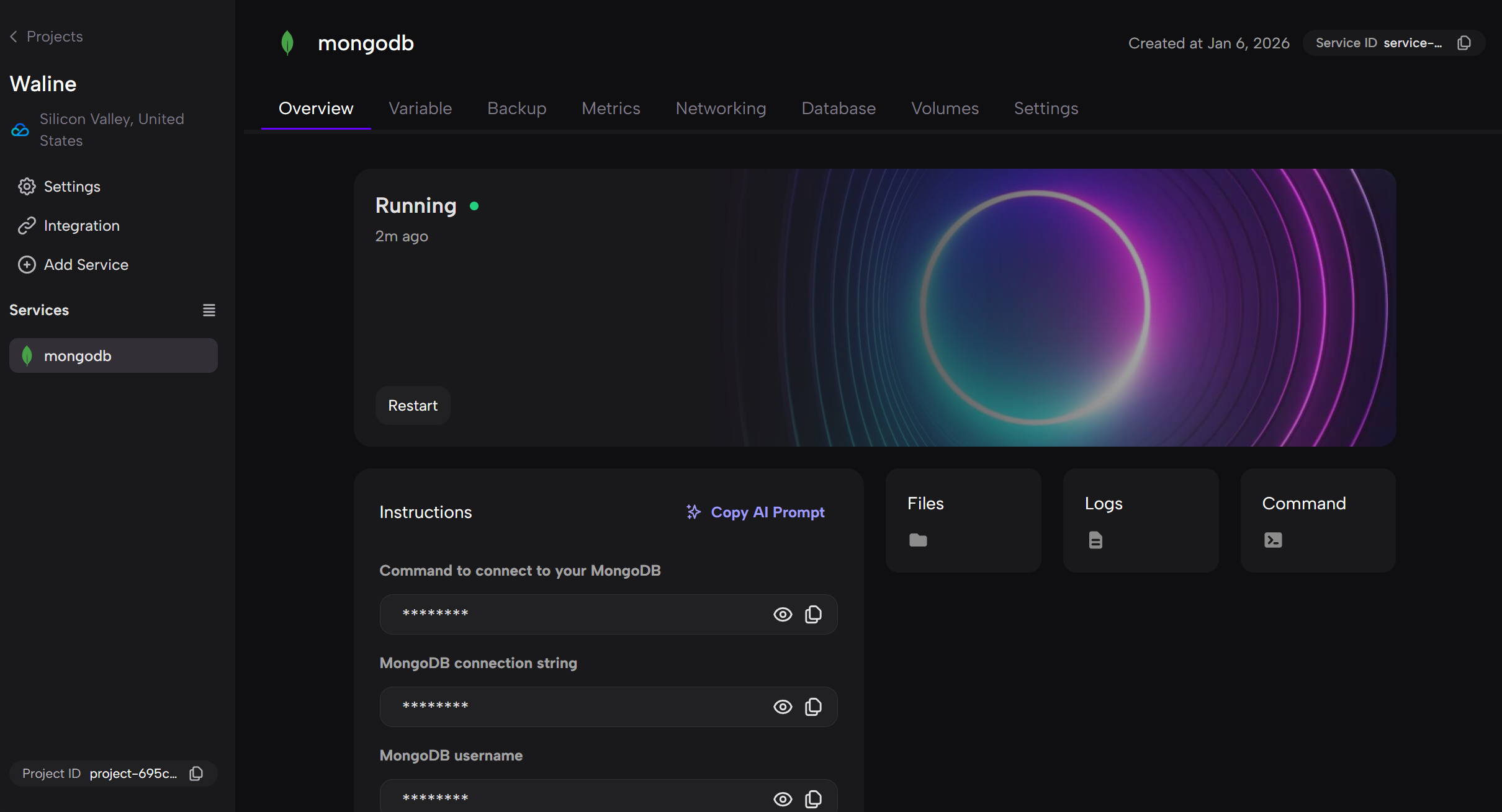
- Click
Deploy New Serviceto deploy a new service, selectDatabases, then pickMongoDB. The database service will be deployed automatically.
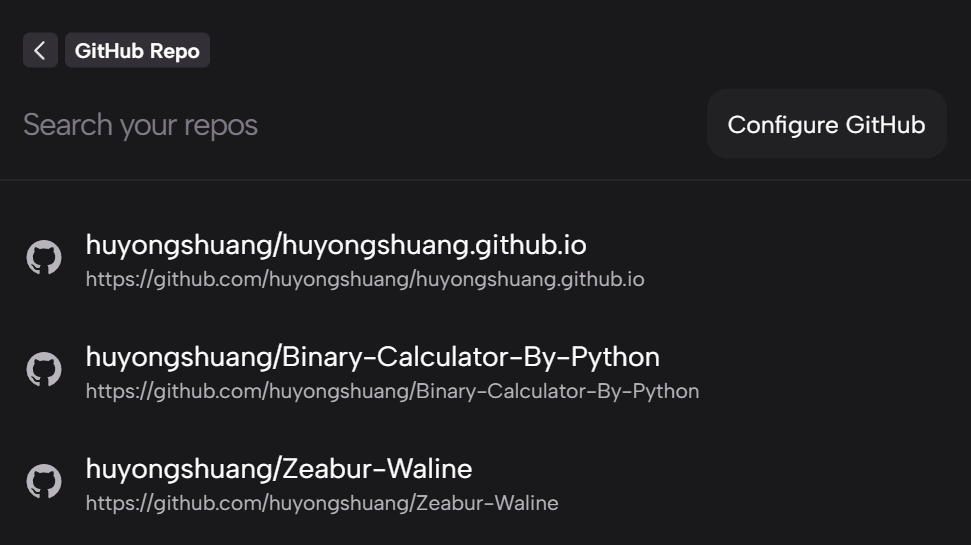
- Next, create the
Walineservice. ClickAdd Service, then tapConfigure GitHuband complete GitHub authorization as prompted. On theGitHub Repopage, select the project you forked earlier and clickDeployto start deployment.
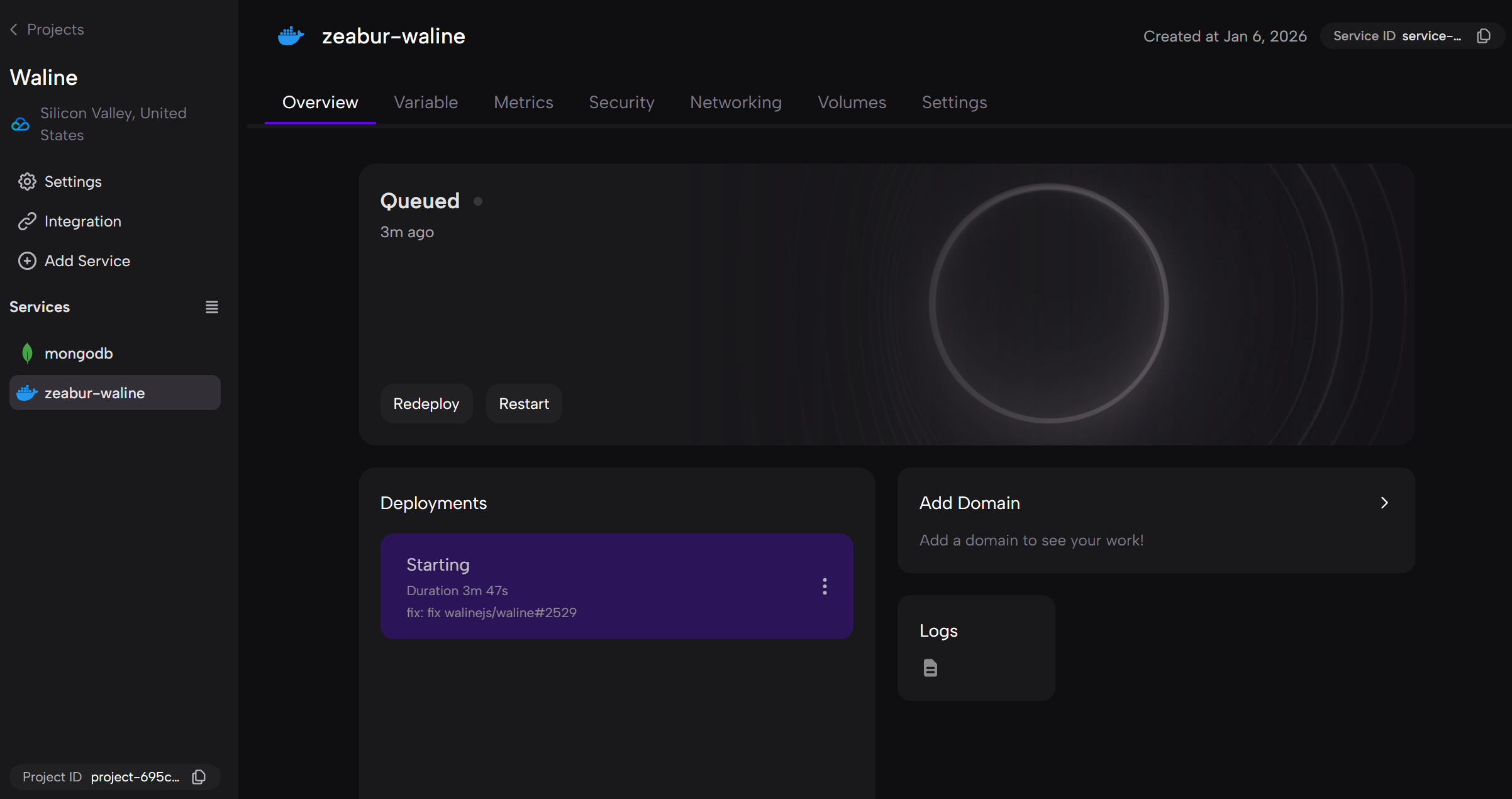
- Finally, bind an accessible domain
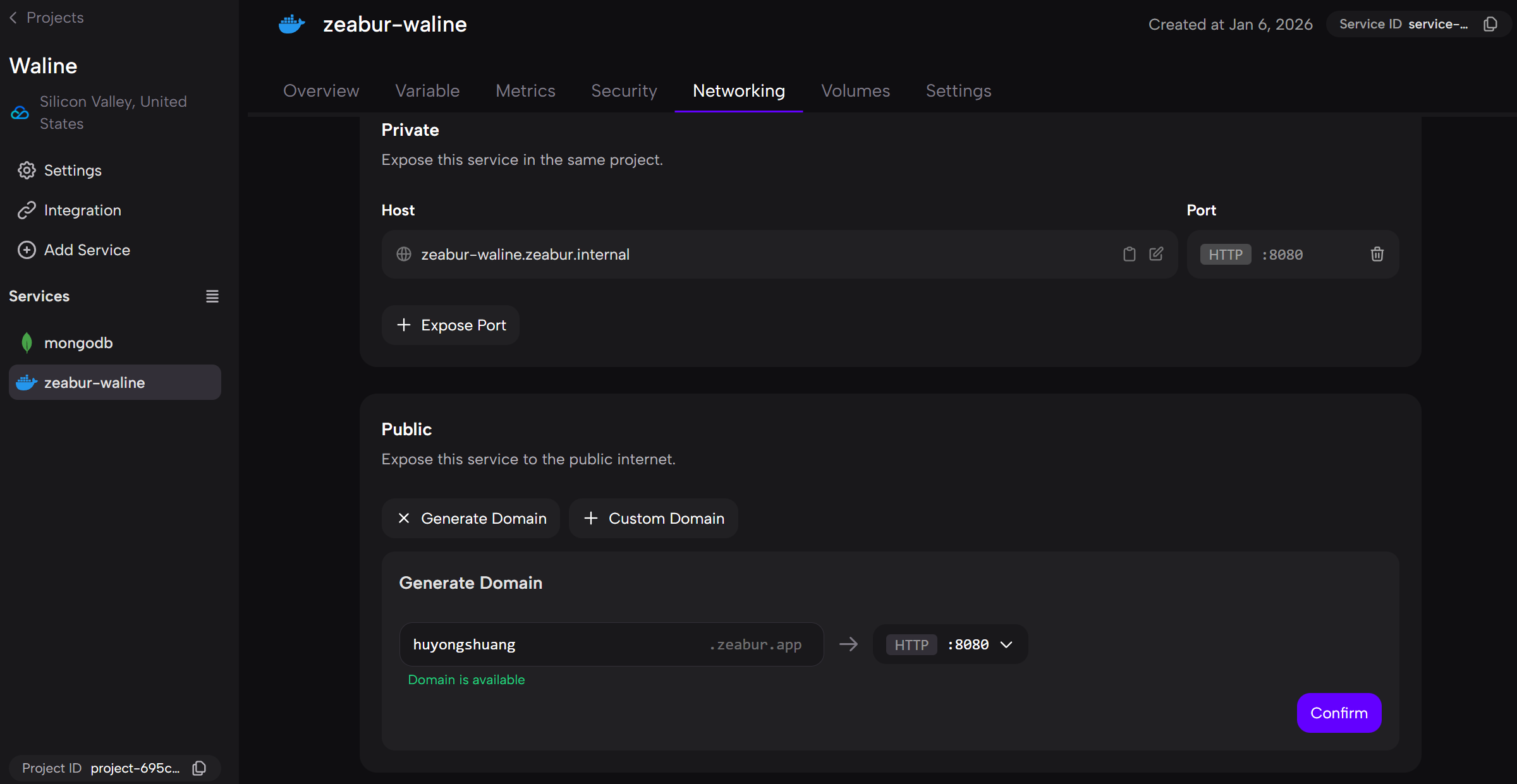
<serverURL>to the service. Select the newly createdWalineservice on the left sidebar, switch to theNetworkingtab on the right and click theGenerate Domainbutton. Enter your desired domain prefix and clickConfirmto finish domain binding.
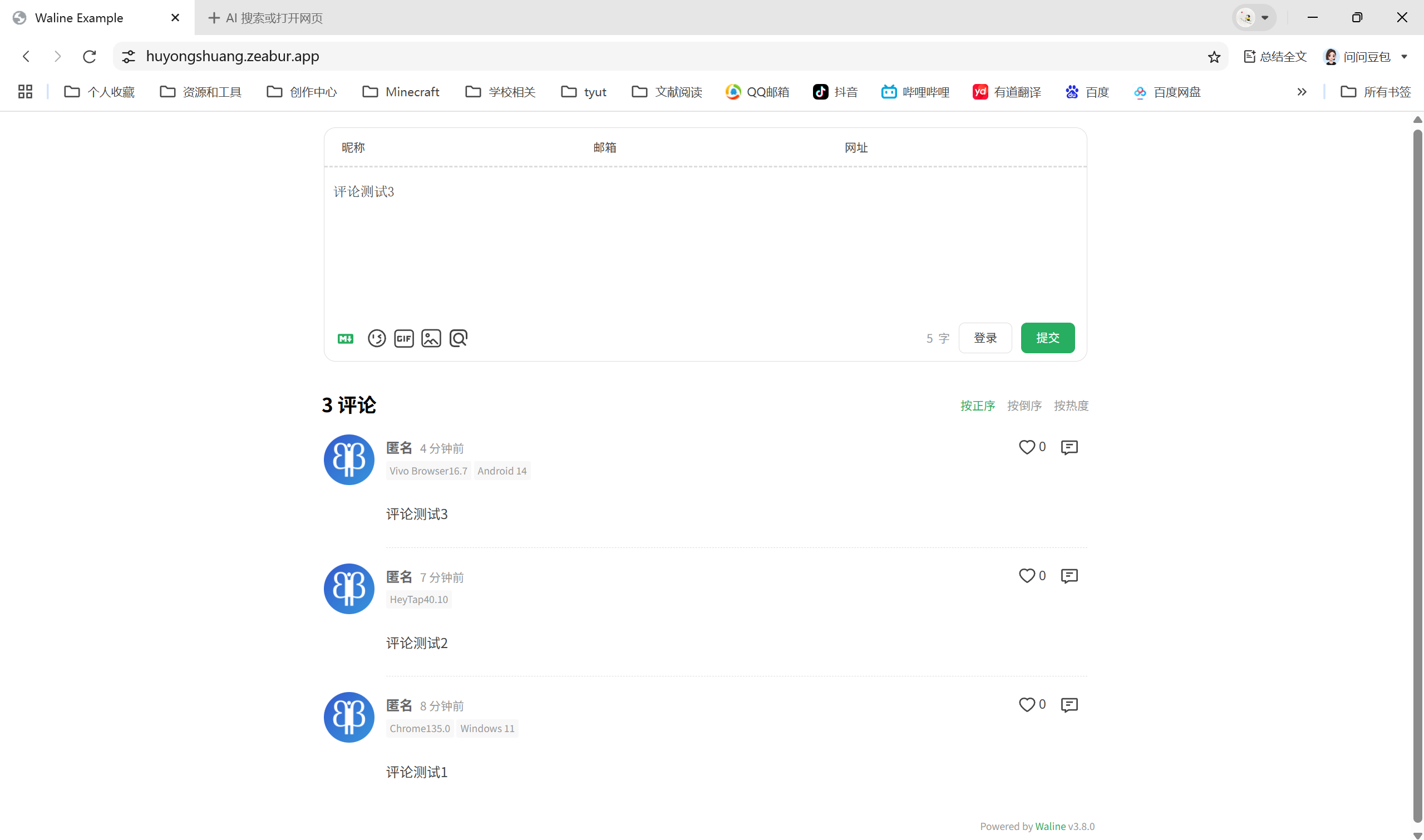
- Open the newly bound domain in your browser to test comment posting functionality.
2. Client-side Configuration ⚓︎
Fill the domain you set above into the _config.redefine.yml configuration file.
1 | comment: |
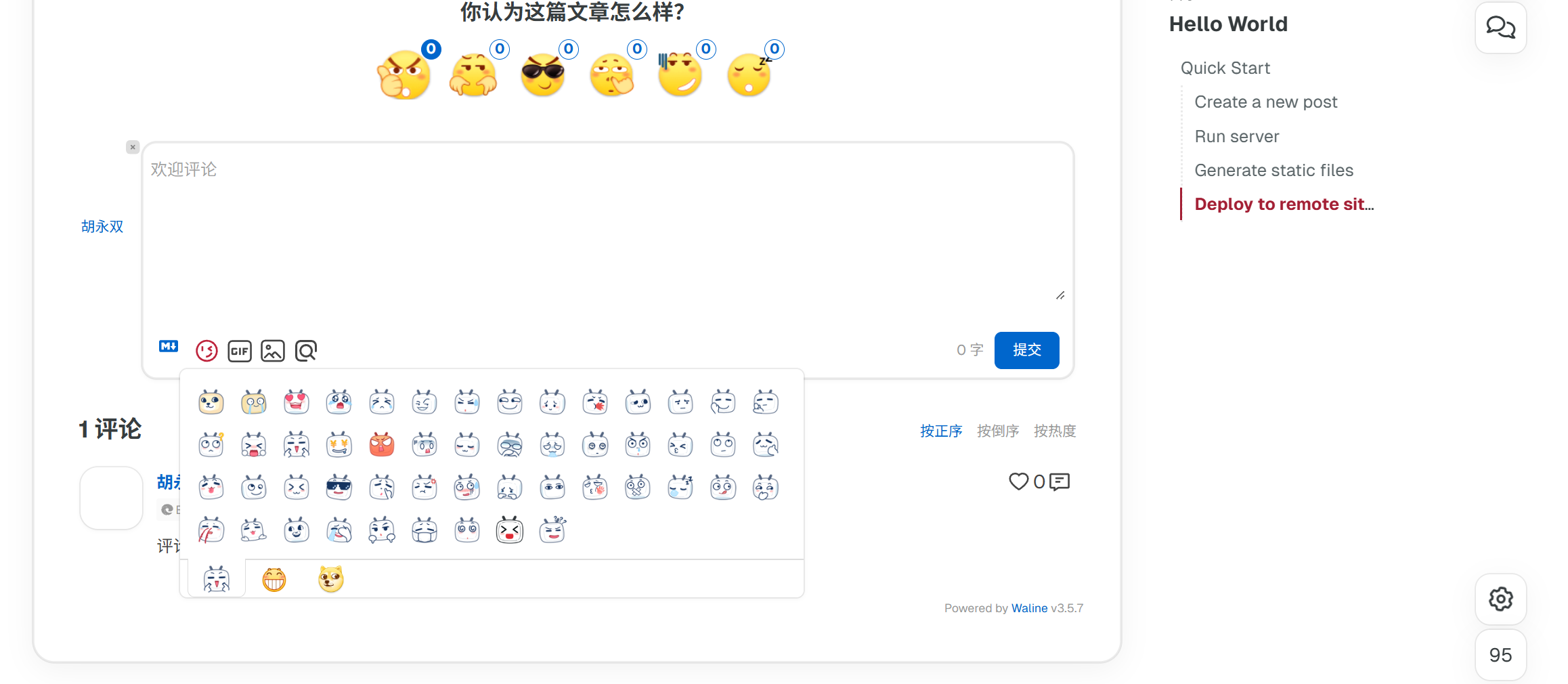
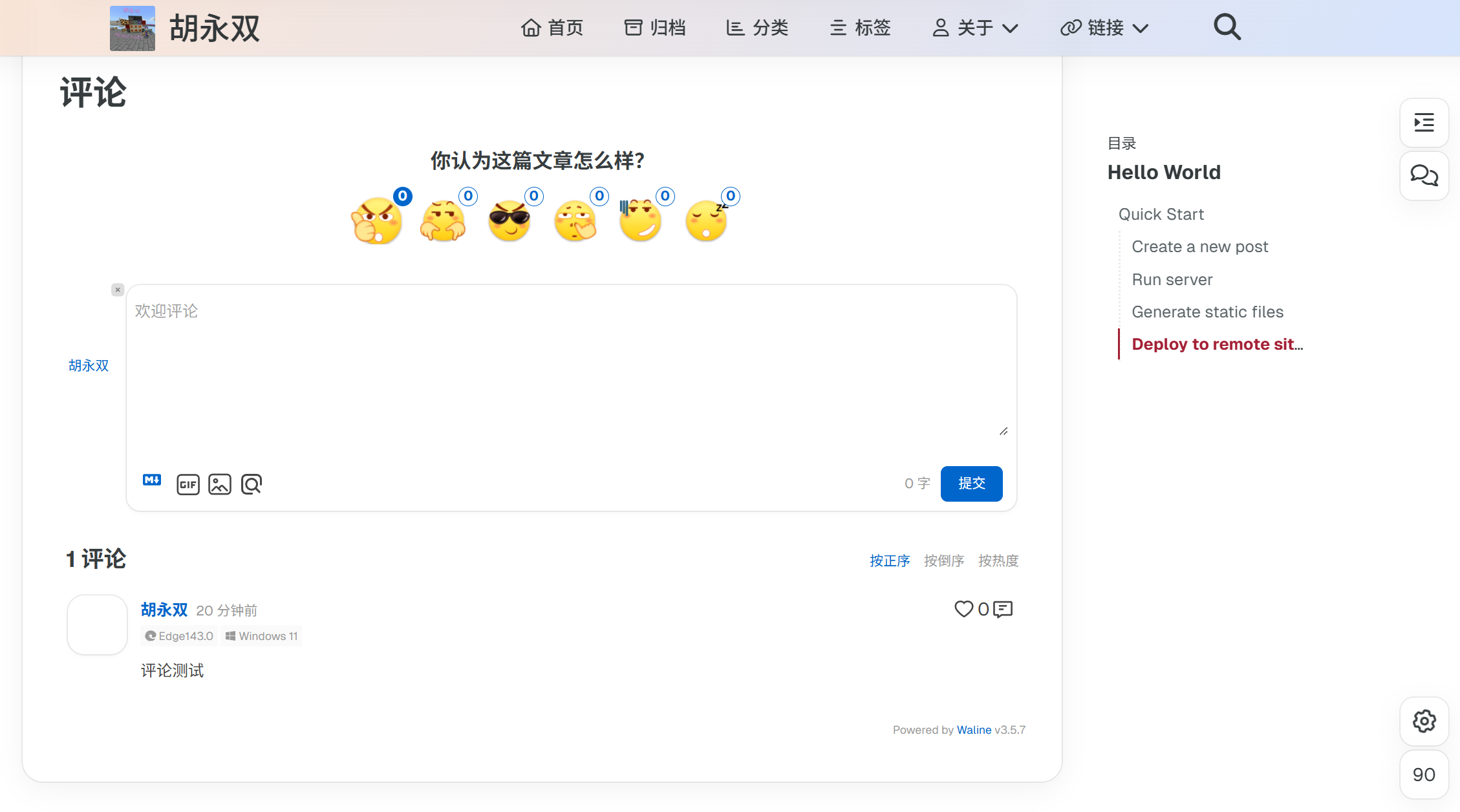
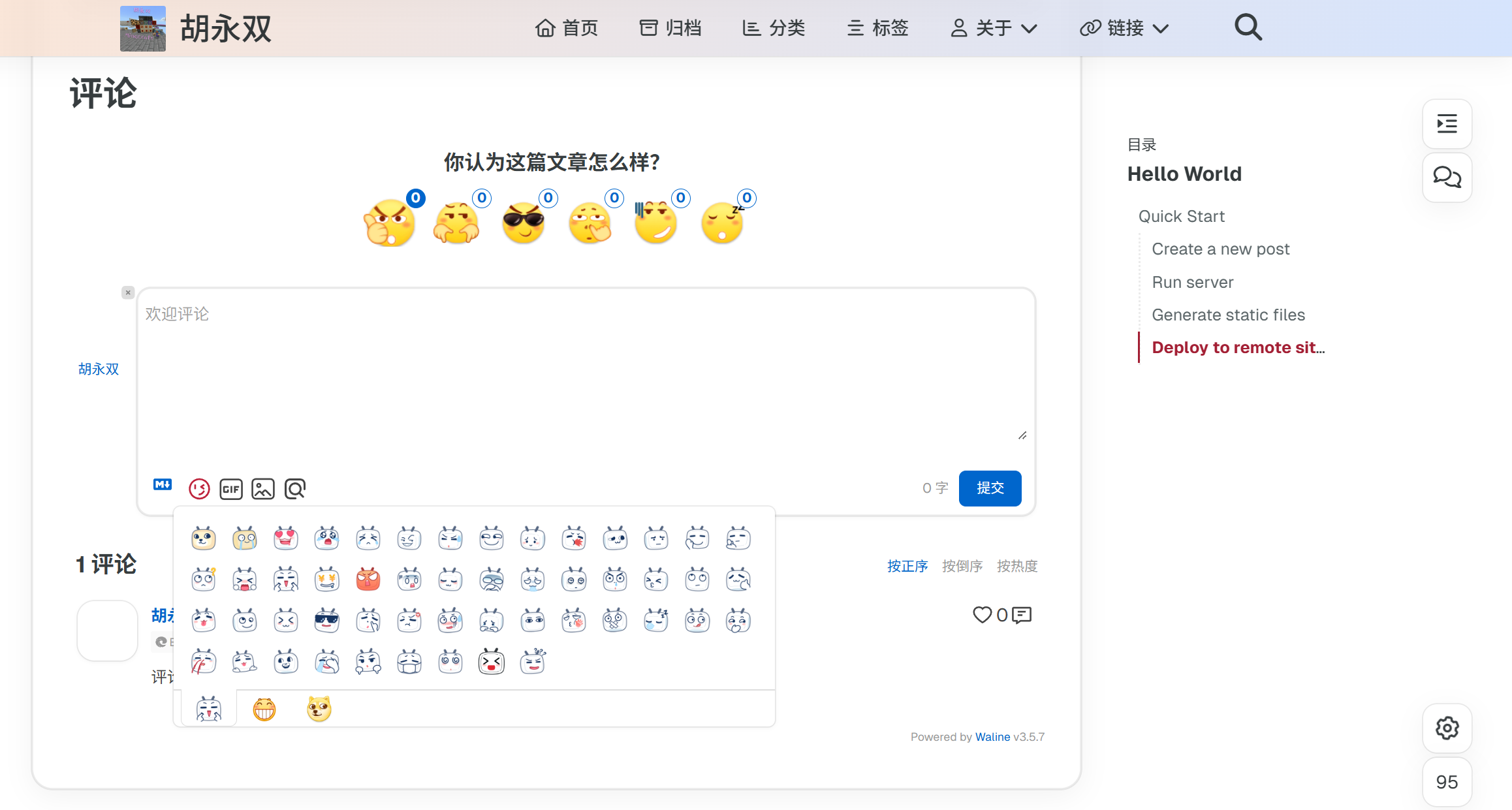
The rendering effect is shown below:
3. Comment Management ⚓︎
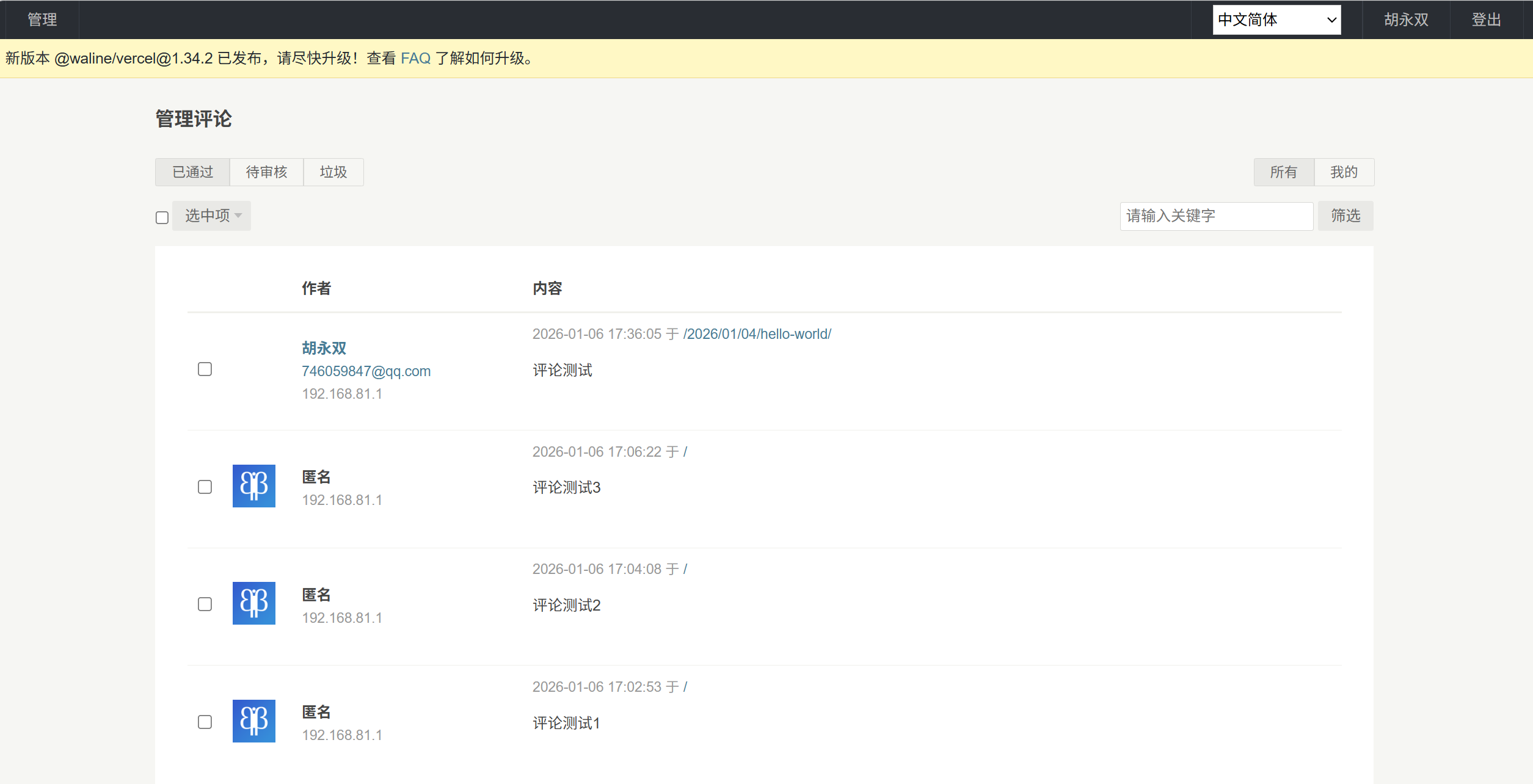
Visit <serverURL>/ui/register to register an account, or sign up via the comment input box. The first registered user will be assigned administrator privileges. After logging in as an admin, you can access the comment management panel to edit, mark or delete comments.
4. Emoji Configuration ⚓︎
Reference Document: https://waline.js.org/guide/features/emoji.html
Add preset emoji URLs to the _config.redefine.yml config file.
1 | comment: |
All articles on this blog are licensed under CC BY-NC-SA 4.0 unless otherwise stated.
 Wechat
 Alipay
Related Articles
2024-10-24
Hexo Tutorial (5) - Deploy to Cloud Server
Preparation for deploying Hexo to a cloud server: 1. Local Hexo project files that have been completed; 2. Purchased cloud server, such as Tencent Cloud, Alibaba Cloud, etc.; 3. Server system: CentOS or Ubuntu; 4. Server has opened ports: 22 (SSH), 80 (HTTP), 443 (HTTPS, optional); 5. Obtained server public IP, root account password/key; 6. Purchased domain name and registered (unregistered cannot be accessed) (optional); 7. Purchased SSL certificate (can be accessed via HTTPS) (optional).
2024-10-02
Hexo Tutorial (2) - Configuration
If you have installed a Hexo theme, most of the settings will be handled in the _config.[theme].yml file of the theme configuration. Since the priority of the theme configuration file is higher than that of the Hexo configuration file, most of the information about the Hexo configuration file will not be necessary to pay attention to. I will introduce a few commonly used settings of Hexo configuration files at the end.

2024-10-01
Hexo Tutorial (1) – Site Construction, Deployment & Writing
This article mainly walks you through building a personal blog website from scratch using Hexo and GitHub Pages, covering five sections: preparation, creating a GitHub repository, installing Hexo, deploying to GitHub Pages, and basic blog writing.

2024-10-03
Hexo Tutorial (3) - Themes
The main content of this section is about the installation and usage of Hexo themes. Taking the Redefine theme as an example, the content is roughly divided into two parts: installing the Redefine theme and configuring the theme.
2025-02-03
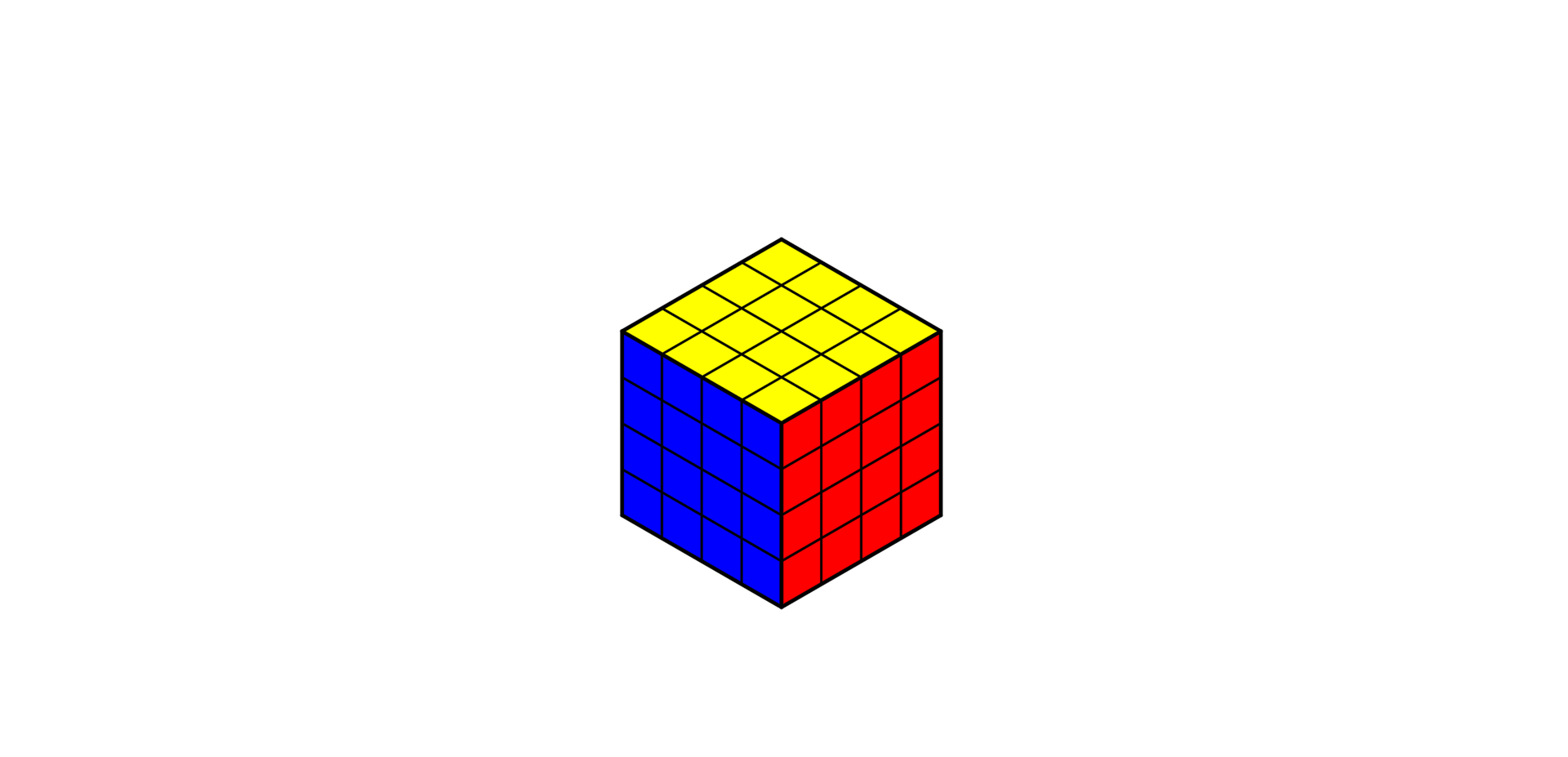
4×4 Rubik's Cube formula
This article mainly introduces the basic solving method for the 4×4 Rubik's Cube, which consists of two main steps: solving center pieces and solving edge pieces. After completing these steps, you can continue solving the cube following the procedures for a 3×3 Rubik's Cube. Two special cases may occur during the solving process that need to be addressed.
2025-02-01
2×2 Rubik's Cube formula
This article mainly covers the basic solving method for the 2×2 Rubik's Cube, which includes two main stages: solving the bottom layer and solving the top layer.
Comments
Announcement
Wechat Official Account has more content!

Post Series